

How to add Terms and Conditions in BharatBills
Terms and Conditions are the basic and mandatory part of any invoice, including the Mobile phone bill format. Here, we specify all the standard terms and conditions with which the invoice is compliant. Cancellation or return policies, etc., can be maintained in this section of the Mobile phone bill format.
To enter or update the terms and conditions, the user must navigate to ‘Terms & Conditions’ under the Firm section. In BharatBills, the user can add a maximum of 6 T&C (s), which will be reflected on the Tax invoice and other required documents in the Mobile phone bill format. This ensures that all necessary compliance information is readily available on each document formatted according to the Mobile phone bill format.
Step-by-step guide: Mobile phone bill format
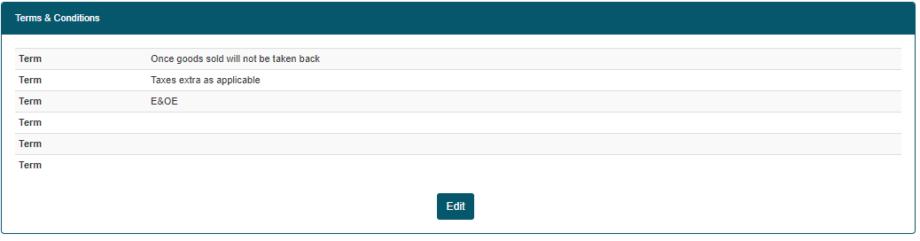
You can edit and update the details in the Mobile phone bill format as needed. This flexibility ensures that all information is accurate and up-to-date. Please note that any entry left blank in this section will not be visible on the Invoice formatted according to the Mobile phone bill format. It’s essential to fill in all relevant details to maintain the integrity of the Mobile phone bill format and ensure that clients receive complete information. Keeping your entries filled out will help enhance the professionalism of your documents in the Mobile phone bill format.
You can edit and update the details in the Mobile phone bill format as needed. This flexibility ensures that all information is accurate and up-to-date. Please note that any entry left blank in this section will not be visible on the Invoice formatted according to the Mobile phone bill format. It’s essential to fill in all relevant details to maintain the integrity of the Mobile phone bill format and ensure that clients receive complete information. By carefully reviewing the entries, you can enhance the professionalism of your documents in the Mobile phone bill format, making them clear and compliant with invoicing standards.
More Useful link
- How to Add Firm Logo in Bharatbills
- How to Add Firm Details in Bharatbills
- How to Add Bank Details in Bharatbills
- How to Add Signature in Bharatbills
- How to Add Update Firm Details in Bharatbills
Spread the love